Google My Business SEO: 10 Powerful Tips for Success
Google My Business SEO is your secret weapon to increasing local visibility and drawing more customers to your business. If you’re looking to boost your presence on Google, ensure your business stands out online with these quick recommendations:
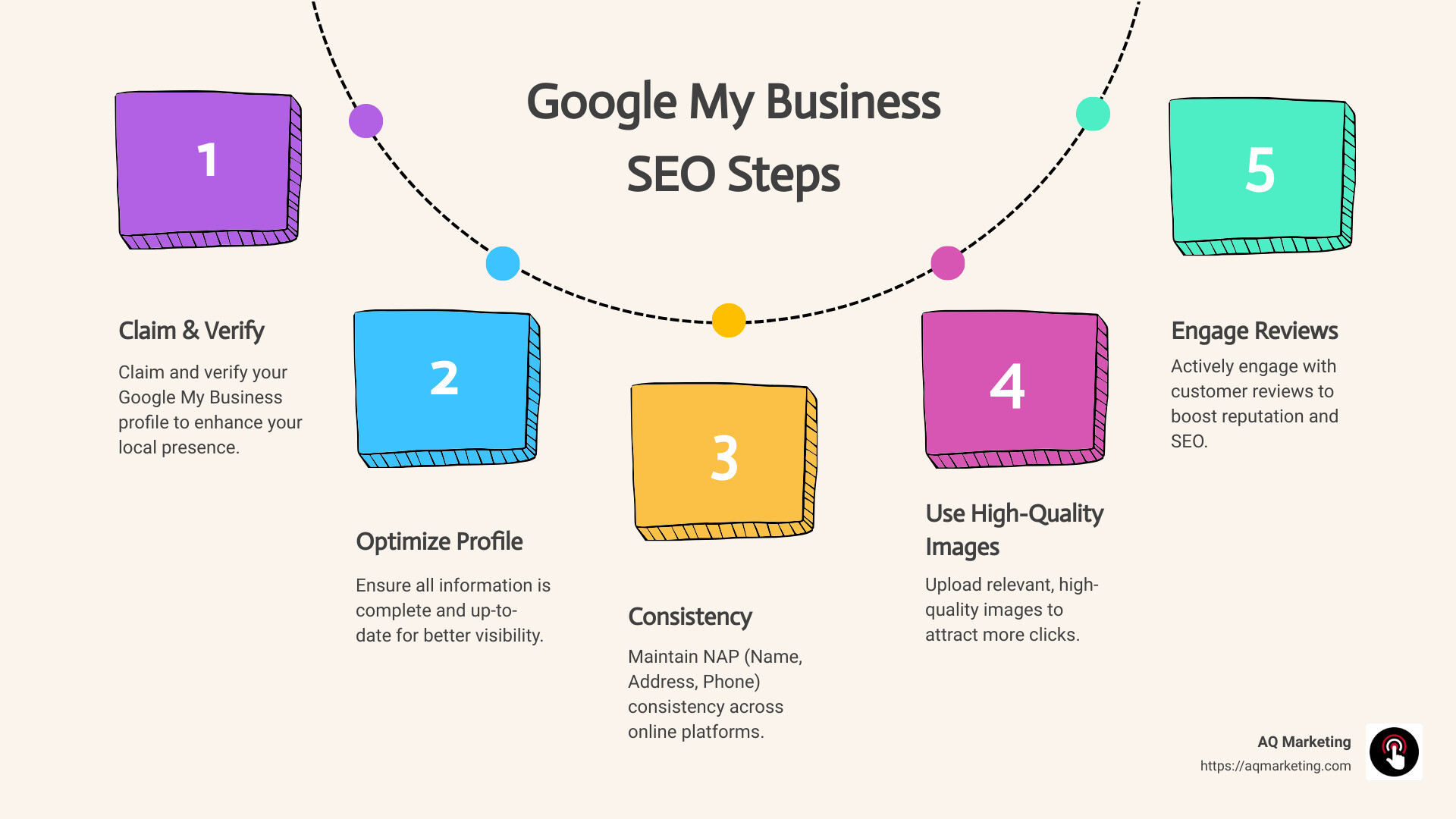
- Claim and verify your Google My Business profile.
- Optimize your profile with complete and accurate information.
- Maintain NAP consistency (Name, Address, Phone) across all platforms.
- Use high-quality, relevant images.
- Engage with customer reviews actively.
In today’s competitive market, understanding Google My Business SEO is crucial for small and medium-sized business owners. It’s all about making your business easily findable and engaging to local customers. With AQ Marketing’s expertise, we empower business owners to master digital marketing and improve their online reputation effectively.
I’m Robert P. Dickey, President and CEO of AQ Marketing. With over 20 years in digital marketing, I’ve honed my skills to help businesses leverage Google My Business SEO to thrive locally.
Quick Google My Business SEO terms:
– Boost Google business profile
– Business profile management
– Digital marketing for contractors
What is Google My Business?
Google My Business, now known as Google Business Profile, is a free tool offered by Google that helps businesses manage their online presence across the search engine and its growing portfolio of utilities, including Google Maps.
Free Business Listing
The Google Business Profile acts as a free business listing. It allows businesses to share essential information like their location, contact details, services, and even photos. This is crucial because 97% of people learn more about a local company online than anywhere else.
Once your business is listed, it can appear in local search results, making it easier for potential customers to find you. This increases your business’s visibility and can significantly impact your local search ranking.
Physical Location Requirement
One key requirement for setting up a Google Business Profile is that your business must have a physical location where you interact with customers face-to-face. This could be a store, an office, or any physical space where you provide services.
If your business doesn’t have a physical storefront but offers services in specific areas, you can still create a profile by specifying your service areas. This is particularly useful for businesses like plumbers or cleaning services that travel to their customers.
Enhancing Online Presence
Having a Google Business Profile is a powerful way to improve your business’s online presence. It provides a platform to showcase your business’s unique offerings and engage with customers through features like reviews and posts.
Moreover, by keeping your profile updated with accurate and current information, you improve your chances of appearing in local searches. This not only attracts more customers but also helps build trust and credibility.
Google Business Profile is an essential tool for any local business aiming to improve its online visibility and connect with customers effectively.
Why Google My Business is Crucial for Local SEO
Google My Business SEO is a game-changer for local businesses. It’s all about boosting your search ranking and visibility, engaging customers, and gaining a competitive edge in local searches. Here’s why it’s crucial:
Boost Your Search Ranking and Visibility
When potential customers search for services or products like yours, you want to be one of the first results they see. With a well-optimized Google My Business profile, your business can appear in Google’s local 3-pack, which is prominently displayed above organic search results. This significantly increases your exposure and can lead to more foot traffic and inquiries.
Being in the top local results is like having a billboard in Times Square. It grabs attention and drives action. In fact, a survey of 53 SEO experts ranked a local business’s website as the most important marketing channel, with Google My Business listing close behind.
Improve Customer Engagement
Engaging with customers is key to building relationships and credibility. Google My Business allows you to respond to reviews, answer questions, and share updates or special offers through Google Posts. This interaction not only boosts your profile’s visibility but also improves customer trust and loyalty.
For instance, responding to reviews—both positive and negative—shows that you value customer feedback and are committed to improving their experience. A well-handled response can even turn a negative review into a positive outcome, as noted by experts like Amanda Putney from Portent.
Dominate Local Searches
Local searches are on the rise, with 76% of people who search for something nearby visiting a business within a day. By optimizing your Google My Business profile, you increase your chances of appearing in local search results, making it easier for nearby customers to find you.
This is particularly important in a post-pandemic world where customers rely on online searches to find information about businesses, including new operating hours and health protocols. Keeping your profile updated ensures customers have the latest information they need to choose your business over others.
Gain a Competitive Advantage
In the crowded market of local businesses, standing out is essential. A complete and optimized Google My Business profile gives you a competitive edge. It allows you to showcase what makes your business unique, from your products and services to the atmosphere of your physical location through high-quality photos.
By carefully selecting relevant categories and ensuring NAP (Name, Address, Phone number) consistency across all platforms, you can further improve your local SEO efforts. This consistency helps avoid penalties and ensures that your business information is accurately represented across the web.
In summary, mastering Google My Business SEO is not just about improving your online presence—it’s about leveraging it to drive real-world results. By focusing on search ranking, visibility, and customer engagement, you can turn online searches into actual customer visits and sales.
Next, we’ll explore how to create and verify your Google My Business account to start reaping these benefits.
How to Create and Verify Your Google My Business Account
Creating and verifying your Google My Business (GMB) account is a straightforward process that helps establish your business’s online presence. Follow these steps to get started:
Step 1: Create Your Google My Business Account
Start by visiting Google My Business and either create a new account or sign in with your existing Google Account. It’s a good idea to use an email address associated with your business domain for professionalism and consistency.
Step 2: Claim Your Business
Before claiming your business, double-check if it already exists in the Google system with the same name and location. If a profile already exists, suggest an edit to have it closed if it’s outdated or incorrect. Otherwise, claim your business by searching for it on Google Maps, clicking on “Claim this Business,” and following the prompts.
Step 3: Add Business Details
Fill in all relevant business details, including your business name, address, phone number, and website link. Make sure these details are consistent with other online listings to avoid confusion and potential penalties from Google. Consistency is key for maintaining your business’s credibility online.
Step 4: Verify Your Business
Google requires verification to ensure the legitimacy of your business. The most common method is by postcard, which Google sends to your business address. This postcard contains a verification code that you’ll need to enter into your GMB account. Typically, it arrives within five business days.
If your business doesn’t have a physical location, or if you face issues with postcard verification, contact Google support to explore alternative verification methods such as phone or email verification.
Step 5: Improve Your Google Maps Presence
Once your account is verified, your business will appear on Google Maps, making it easier for customers to find you. Ensure your location is accurately marked on the map, and consider adding service areas if you offer delivery or off-site services.
Step 6: Complete Your Profile
After verification, focus on completing your profile. Add high-quality photos of your business, set your business hours, and write a compelling business description. The more complete your profile, the better your chances of ranking higher in local search results.
By following these steps, you can effectively create and verify your Google My Business account, setting the foundation for improved online visibility and customer engagement. Next, we’ll discuss how to optimize your Google My Business profile to maximize its impact.
Optimizing Your Google My Business Profile
Optimizing your Google My Business SEO is essential for improving your local search visibility and attracting more customers. Let’s break down the key steps to ensure your profile is fully optimized.
Complete Your Profile
A complete profile is crucial. Make sure to fill in every detail: your business name, address, phone number, website link, and service area description. This information not only helps customers find you but also boosts your credibility with Google.
Ensure NAP Consistency
Consistency in your Name, Address, and Phone number (NAP) across the web is vital. Ensure your NAP is the same on your website, social media, and directory listings. Inconsistent NAP information can confuse customers and may lead to penalties from Google.
Choose Relevant Categories
Selecting the right categories helps Google understand what your business offers. Choose one primary category that best represents your business, and up to nine secondary categories if applicable. Kyle Sanders from Complete SEO notes that changing your primary category can significantly impact your search rankings.
Add High-Quality Photos
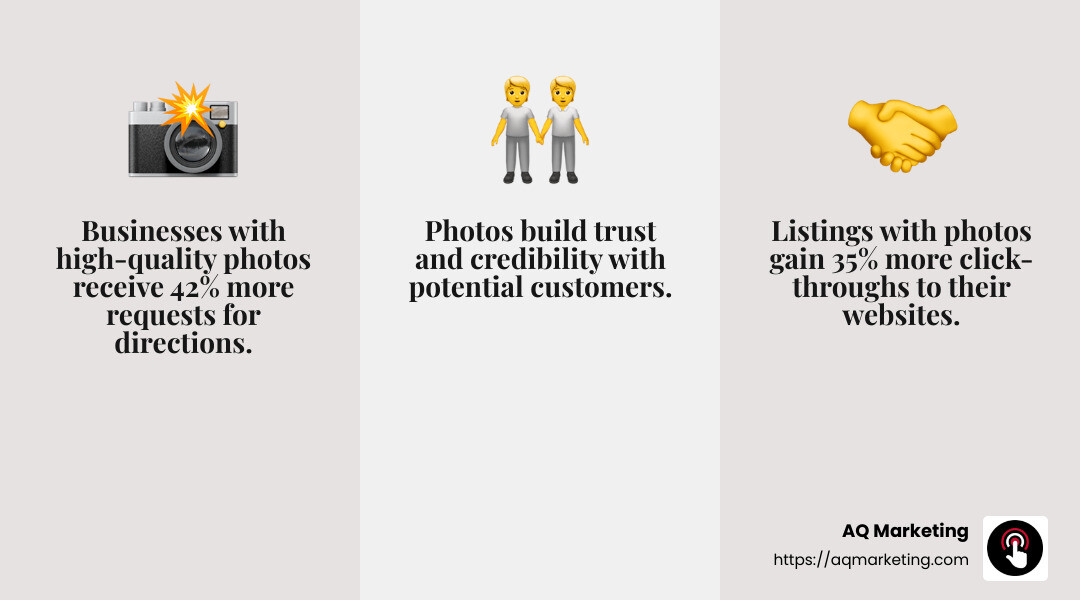
Photos are a powerful tool to engage potential customers. Include semi-professional pictures of your business interior, exterior, and team. According to Juliane Sunshine of Tandem Interactive, high-quality images build trust and legitimacy.
Encourage and Respond to Reviews
Reviews are crucial for customer trust and engagement. Develop a strategy to encourage positive reviews and respond to all feedback, both good and bad. Responsiveness shows that you care about your customers’ experiences and can improve your profile’s visibility.
Use Google Posts
Google Posts allow you to share updates, special offers, and events directly on your profile. This feature keeps your audience engaged and informed about what’s happening in your business. Use it to highlight promotions or news and drive more traffic to your business.
By focusing on these optimization strategies, you can improve your Google My Business profile and improve your local search rankings. Next, we’ll explore advanced strategies to further boost your Google My Business SEO.
Advanced Google My Business SEO Strategies
You’ve optimized your Google My Business profile. Now, let’s dive into some advanced strategies to push your local SEO even further and get your business noticed.
Keyword Optimization
Keywords aren’t just for your website. They’re crucial for your Google My Business profile too. Think about the words and phrases people use to find businesses like yours. Local keywords are especially important here.
Business Description: Use this space wisely. Describe your services and products while naturally incorporating relevant keywords. This helps Google match your profile with local searches.
Services and Products: List them clearly. Use specific terms that potential customers might search for. This not only improves visibility but also helps customers understand what you offer at a glance.
Build Local Citations and Backlinks
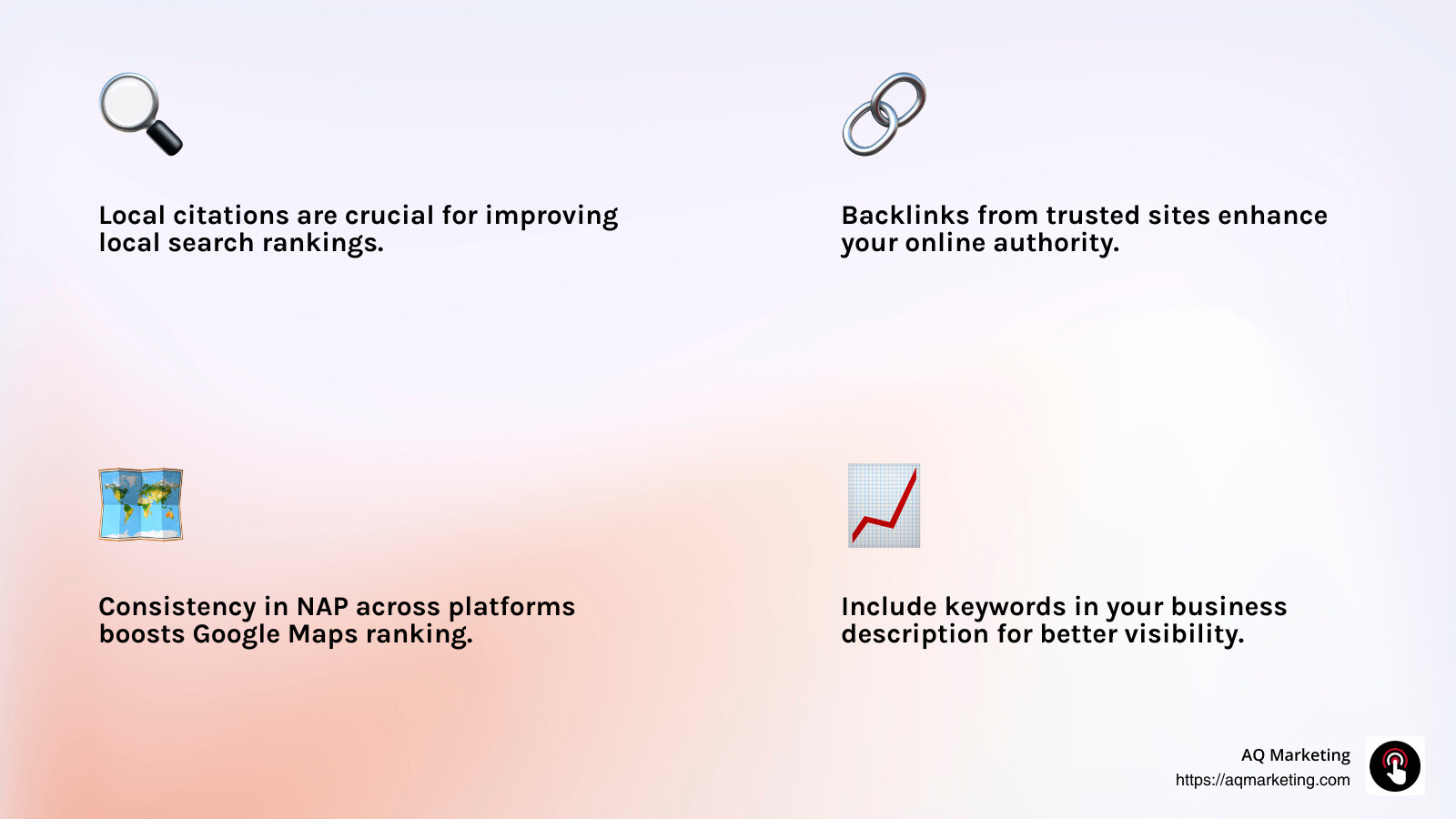
Local citations and backlinks are like votes of confidence for your business. They tell Google that your business is legitimate and relevant.
Online Directories: Make sure your business is listed in popular online directories. Consistency is key, so ensure your NAP (Name, Address, Phone number) matches across all platforms.
Local Websites and Industry-Specific Sites: Reach out to local websites and industry-specific sites to get your business mentioned. These backlinks improve your online authority.
Improve Google Maps Ranking
Ranking higher on Google Maps can drive more local traffic to your business. Here’s how to do it:
Location Verification: Ensure your business location is verified. This is a straightforward step but often overlooked. It signals to Google that your business is real and trustworthy.
Service Areas: Clearly define your service areas. This helps Google show your business to users in those locations.
Customer Reviews: Encourage satisfied customers to leave reviews. Positive reviews not only boost your reputation but also improve your ranking on Google Maps.
Regular Updates: Keep your profile fresh. Regularly update your business hours, photos, and posts. Google favors active profiles.
By implementing these advanced strategies, you’ll improve your Google My Business SEO and stand out in local searches. Let’s move on to frequently asked questions about Google My Business SEO.
Frequently Asked Questions about Google My Business SEO
Can I do SEO on Google My Business?
Absolutely! Google My Business SEO is all about optimizing your business profile to improve its search ranking and visibility. By following a structured checklist, you can improve how your business appears in local searches. Start with ensuring your profile is complete and accurate. This includes your business name, address, phone number (NAP), and website link. Consistency across all platforms is crucial to avoid any penalties.
Next, focus on choosing the most relevant categories for your business. This helps Google understand what your business does and which searches it should appear in. Adding high-quality photos and encouraging customer reviews are also part of this checklist. These elements not only improve your profile’s attractiveness but also boost engagement and trust.
Is Google My Business part of local SEO?
Yes, it is a vital part of local SEO. When users search for businesses “near me” or in specific locations, Google My Business profiles often appear in the results. Local keywords play a crucial role here. By using keywords that reflect your location and services, you can improve your chances of appearing in Google Search and Google Maps.
Local SEO success is about making sure your business is easy to find for local customers. Google My Business helps you achieve this by increasing your visibility in local searches. It’s more important than social media or other forms of online advertising for local businesses.
Do Google My Business reviews help SEO?
Definitely! Reviews are a powerful tool in Google My Business SEO. They impact your business’s visibility and brand reputation. Positive reviews can improve your search ranking and make your business more appealing to potential customers.
Customer engagement is key. Responding to reviews, whether positive or negative, shows that you value customer feedback. This interaction can lead to a better reputation and even more reviews. Google considers reviews when determining your local ranking, so encourage satisfied customers to share their experiences.
By focusing on these aspects, you can leverage Google My Business to boost your local SEO efforts and attract more customers. Ready to explore more about how Google My Business can improve your online presence? Let’s continue our journey.
Conclusion
At AQ Marketing, we understand that building a strong online presence is crucial for small to medium-sized businesses. Our expertise in digital marketing, especially in Google My Business SEO, allows us to deliver long-term results that improve your online visibility.
Since 2003, we’ve been dedicated to helping businesses like yours steer the digital landscape. Our approach is simple: we focus on what works best for your business. Whether it’s optimizing your Google Business Profile or ensuring your NAP (Name, Address, Phone number) consistency across platforms, we tailor our strategies to meet your unique needs.
A well-optimized Google Business Profile not only boosts your local search ranking but also increases customer engagement. By choosing relevant categories, adding high-quality photos, and encouraging customer reviews, you can make your business more attractive to potential customers. Our team is here to guide you through these steps, ensuring that your profile stands out.
Moreover, we know that responding to reviews and using Google Posts can significantly impact your brand’s reputation and visibility. Engaging with your customers shows that you care about their experience, fostering trust and loyalty.
In conclusion, mastering Google My Business SEO is essential for any business looking to succeed in today’s competitive market. At AQ Marketing, we are committed to helping you achieve this success. Partner with us to improve your online presence and drive growth for your business.
Ready to take your Google Business Profile to the next level? Learn more about our Business Profile Management services and start optimizing today!