

Why Most Website Visitors Leave — and How to Bring Them Back
Google remarketing campaign setup is the process of tagging your website, building audience lists of past visitors, and running targeted ads to bring those visitors back to convert.
Here’s a quick overview of the core steps:
- Install your Google tag on every page of your website
- Build remarketing audiences in Google Ads Audience Manager (e.g., all visitors, cart abandoners, product viewers)
- Create a campaign — Display, Search, Video, or Dynamic — and attach your audience lists
- Design your ads with personalized messaging for each audience segment
- Set bidding and frequency rules to maximize conversions without overspending
- Exclude converters so you’re not wasting budget on people who already bought
Think about the last time you browsed a product online and then saw that exact product follow you around the web. That’s remarketing at work.
The numbers behind it are hard to ignore. Only 2% of website visitors make a purchase on their first visit. That means 98% leave without taking any meaningful action. For businesses investing in website traffic — through SEO, paid ads, or social media — that’s a significant amount of potential revenue walking out the door.
Remarketing gives you a second chance. By staying visible to people who already know your brand, you’re targeting the warmest audience possible — people who were already interested enough to visit.
I’m Robert P. Dickey, President and CEO of AQ Marketing, Inc., with over 20 years of experience helping small and medium-sized businesses grow through digital marketing strategies, including Google remarketing campaign setup as part of a broader paid advertising approach. I’ll walk you through everything you need to know to put this strategy to work for your business.
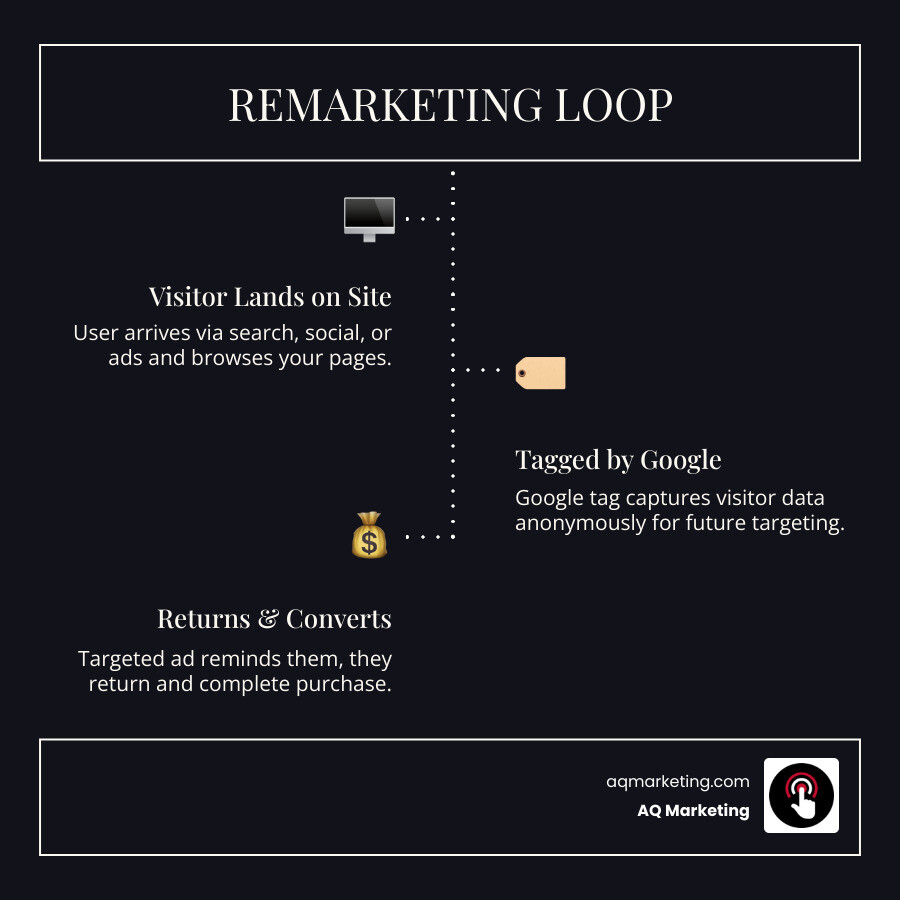
The Strategic Value of Re-Engaging Lost Traffic in 2026
In the current digital landscape of April 2026, the competition for attention in Massachusetts is fiercer than ever. Whether you are a home services contractor in Woburn or an insurance agency in Boston, you likely face the same reality: 98% of your prospective customers leave your site without performing a meaningful action.
This is where the ROI potential of a Google remarketing campaign setup becomes undeniable. Statistics show that retargeting campaigns enjoy 147% higher conversion rates than regular cold-traffic campaigns. Why? Because you aren’t introducing your brand to a stranger; you are reminding a “warm” lead why they visited you in the first place.
For e-commerce businesses, the stakes are even higher. Cart abandonment costs companies a staggering $18 billion annually in lost sales. Without remarketing, only about 8% of those who abandon their carts will return. However, with a strategic remarketing plan, more than one-fourth of those shoppers return to complete their purchase—a massive 225% increase in recovery.
Beyond immediate sales, remarketing is a cornerstone of Digital Advertising Services. It builds brand awareness and keeps your business “top of mind” during the long research phases common in industries like home improvement or professional services. By integrating these efforts into your Paid Search Marketing Campaigns, you ensure that every dollar spent driving initial traffic isn’t wasted when a user clicks away to check a competitor.
Essential Prerequisites for a Google remarketing campaign setup
Before we can start showing ads to previous visitors, we need to lay the technical foundation. This isn’t just about “turning on” a feature; it requires precise implementation to ensure data privacy and tracking accuracy.
The Google Tag and Gtag.js
The first step is installing the Google Tag (formerly known as the global site tag or gtag.js). This snippet of code must be placed on every single page of your website, ideally within the section. This tag is what allows Google to “see” who is visiting and assign them to your various audience lists.
Google Tag Manager (GTM)
For most of our clients from Burlington to Lexington, we recommend using Google Tag Manager. It acts as a container for all your marketing scripts. Instead of manually editing your website’s code every time you want to track a new event, you do it within the GTM interface. This ensures better browser compatibility and allows you to enable the “Conversion Linker,” which is vital for accurate tracking in a world where third-party cookies are increasingly restricted.

GA4 Linkage and Advertising Features
In 2026, Google Analytics 4 (GA4) is the primary engine for audience creation. You must link your Google Ads account to your GA4 property. Once linked, you need to enable “Google Signals” and “Advertising Features” within the GA4 admin settings. This allows Analytics to share granular audience data—like users who spent more than two minutes on a high-value service page—directly with Google Ads.
Privacy and Compliance
Before you launch, review your privacy policy. Google requires that you disclose how you use cookies and third-party tools for advertising. Especially for businesses operating in the New England area, staying transparent about data collection is not just a legal requirement; it’s a best practice for building trust. For more on the groundwork needed, see our guide on 7 Things To Do Before You Launch A Ppc Campaign.
Building High-Intent Audiences in Audience Manager
Once your tags are firing, the real magic happens in the Audience Manager. This is where we sort your traffic into segments based on their behavior. A “one-size-fits-all” ad rarely works; a user who spent five seconds on your homepage needs a different message than someone who looked at your “Kitchen Remodeling Gallery” three times.
Segmenting for a Successful Google remarketing campaign setup
Effective segmentation is the heart of Search Engine Marketing Services. We typically look for the following “High-Intent” groups:
- Cart/Lead Form Abandoners: These are your “low-hanging fruit.” They started the process but didn’t finish.
- High-Value Page Visitors: Users who visited your pricing page, “Contact Us” page, or specific service landing pages.
- Past Converters (for Upselling): If someone hired you for a lawn cleanup in the spring, they might need snow removal in the winter.
- Deep Browsers: Users who visited more than four pages or stayed on the site for more than three minutes.
Membership Duration and Custom Combinations
How long should a user stay on your list? Google allows a membership duration of up to 540 days. However, for most businesses, 30 to 90 days is the sweet spot. If your sales cycle is short (like a sandwich shop in Danvers), a 7-day list might be best. If you are selling luxury homes in Concord, you might want a 180-day list.
We also use custom combinations to refine targeting. For example, we can create a list of users who “Visited the Service Page” AND “Did Not Visit the Thank You Page.” This ensures we are only spending money on people who haven’t converted yet.
Customer Match and First-Party Data
In 2026, first-party data is king. You can upload your own encrypted email lists (Customer Match) to Google Ads. This allows you to show ads specifically to your existing database across Search, YouTube, and Gmail, providing a powerful way to encourage repeat business.
Configuring Advanced Campaign Types and Ad Creatives
With your audiences ready, it’s time to choose the right “vehicle” for your ads. A Google remarketing campaign setup can take several forms depending on your goals.
Standard vs. Dynamic Remarketing
Standard Remarketing shows static or responsive display ads to people as they browse sites across the Google Display Network (GDN). This is excellent for general brand recall.
Dynamic Remarketing takes it a step further. If a user looked at a specific leather bag on an e-commerce site, dynamic remarketing uses a business data feed to show them an ad featuring that exact bag along with its current price. This level of personalization is why dynamic ads often see much higher engagement. For technical details, Google offers a guide on how to Set up dynamic remarketing with Display, Performance ….
RLSA (Remarketing Lists for Search Ads)
RLSA doesn’t show “banner ads.” Instead, it allows you to customize your search ad campaigns for people who have previously visited your site. You can bid more aggressively on keywords when you know the searcher is already familiar with your brand, or even use broader keywords that would normally be too expensive for cold traffic.
Video and App Remarketing
Video remarketing allows you to show ads on YouTube to people who have interacted with your videos or visited your website. Given how much time people in the Boston area spend on YouTube, this is a highly “eye-catching” strategy. If your business has a mobile app, you can also set up app remarketing to drive users back into the app to complete an action.
Bidding Strategies for Google remarketing campaign setup
We generally recommend automated bidding strategies for remarketing. Strategies like Target CPA (Cost Per Acquisition) or Target ROAS (Return on Ad Spend) allow Google’s AI to adjust your bids in real-time based on the likelihood of a conversion.
To avoid “annoying” your potential customers, we always implement frequency capping. We typically start with 3-5 impressions per user per day. This keeps you visible without causing “ad fatigue,” where users start to ignore or even resent your brand. This is especially important for Ppc For Start Ups who are trying to build a positive reputation from scratch.
Frequently Asked Questions about Remarketing
What is the difference between remarketing and retargeting?
Technically, “remarketing” is an umbrella term that includes re-engaging customers via email or offline methods. “Retargeting” usually refers specifically to online display ads. However, in Google Ads, these terms are used interchangeably to describe showing ads to previous website visitors.
How many visitors are required for a remarketing list to be active?
To protect user privacy, Google has minimum list size requirements. For the Display Network, your list must have at least 100 active visitors or users within the last 30 days. For the Search Network (RLSA), the requirement is higher—at least 1,000 active visitors.
How do I troubleshoot a remarketing tag that isn’t firing?
First, check your “Audience Sources” in the Google Ads Audience Manager. If there is an issue, Google will usually flag it there. You can also use the “Google Tag Analyzer” browser extension to see if the tag is loading correctly on your live site. Common issues include tags placed outside the tags or “container” errors in Tag Manager.
Conclusion
A successful Google remarketing campaign setup is one of the most cost-effective ways to grow a small to medium-sized business in 2026. It turns your website from a “leaky bucket” into a conversion engine by recapturing the 98% of traffic that would otherwise be lost forever.
At AQ Marketing, we’ve been helping businesses in Woburn and across Massachusetts achieve long-term results since 2003. We don’t just set up ads; we build comprehensive digital transformation strategies that include SEO, web design, and high-performance lead generation.
Ready to bring your “lost” visitors back to the table? Whether you need a fresh Full-Service Digital Marketing Agency approach or just want to optimize your current PPC spend, we are here to help your business thrive in the New England market.


