

Why Local Google Ads Are the Fastest Way to Grow Your Local Business
Local Google Ads are a powerful set of advertising tools that help businesses with a physical location or service area get discovered by nearby customers at the exact moment they’re searching.
Here’s a quick overview of what you need to know:
| Ad Type | Where It Appears | How You Pay | Best For |
|---|---|---|---|
| Local Services Ads | Top of Google Search | Per lead (call or message) | Home & professional services |
| Standard Local Google Ads | Search, Maps, Waze | Per click (CPC) | Physical storefronts, service areas |
| Performance Max (Local) | Search, Maps, YouTube, Display | Per click or impression | Broad local visibility |
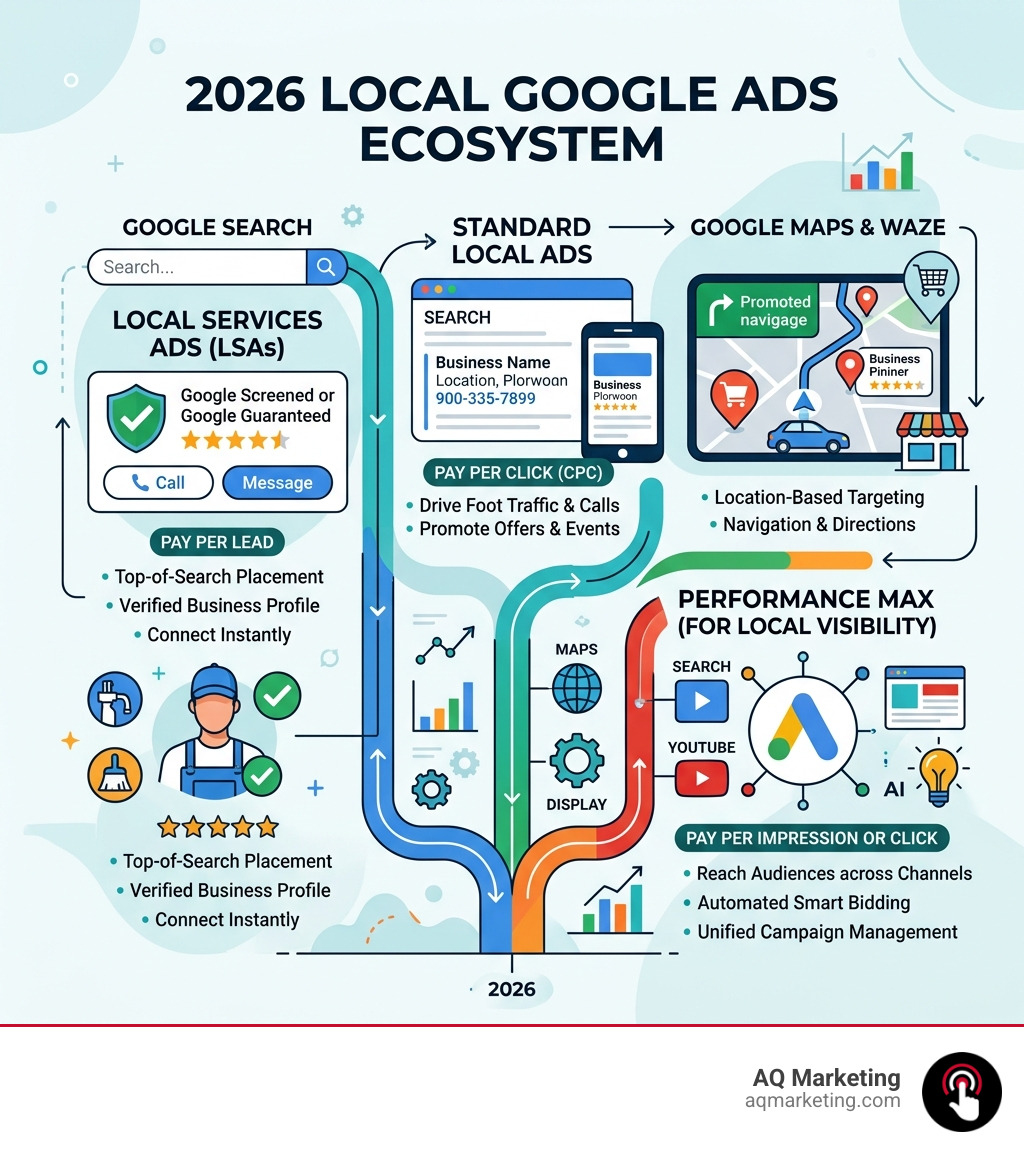
The two main types — Local Services Ads and standard Local Ads — work very differently. Local Services Ads place your business above regular search results and charge you only when a customer actually contacts you. Standard Local Ads run across Google Search, Google Maps, and even Waze, charging per click.
For small and medium-sized businesses in competitive markets, choosing the right format — or combining both — can be the difference between a slow month and a full calendar.
I’m Robert P. Dickey, President and CEO of AQ Marketing, and over my 20+ years in digital marketing I’ve helped countless local businesses across New England build smarter strategies around Local Google Ads to consistently generate qualified leads. In the sections ahead, I’ll walk you through exactly how to use these tools to drive more foot traffic and booked jobs for your business.
Understanding the Ecosystem of Local Google Ads
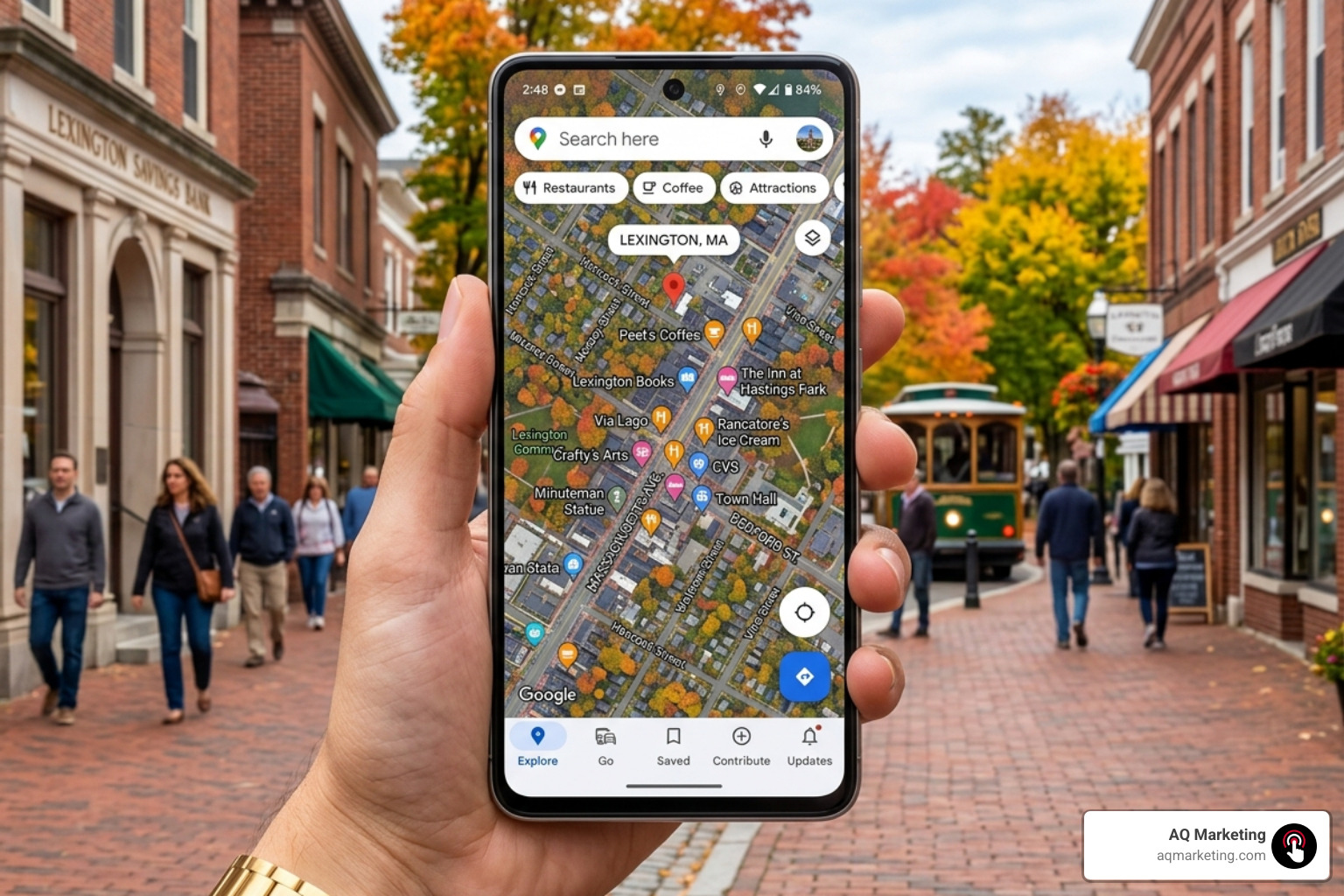
Navigating digital advertising in 2026 feels a bit like driving through the rotary in Concord—it’s fast, a little crowded, but perfectly manageable once you know which lane to be in. To master Local Google Ads, we first need to understand where these ads actually live.
Google has integrated local results into almost every corner of its platform. When a customer in Woburn or Beverly searches for a service, they aren’t just looking at a list of blue links. They are seeing a map, a set of “Guaranteed” badges, and even pins on their GPS.
Google Search and Maps
Standard Local Ads serve primarily on Google Search and Google Maps. These ads help businesses with a physical location reach users to drive store visits, sales, and leads. According to About Local Ads – Google Ads Help, these ads pull media assets directly from your Google Business Profile. This means your address, hours, and photos are automatically baked into the ad.
Performance Max and Waze
In 2026, Performance Max has become the heavy lifter for local visibility. It pushes your local business information across Search, Maps, YouTube, and the Display Network. Furthermore, if you are targeting drivers in the US, Local Ads also appear on Waze as square pins. This is a game-changer for businesses in high-traffic areas like Braintree or Framingham, where a well-timed pin on a commuter’s map can drive immediate foot traffic.
Achieving a high return on investment requires more than just “turning on” ads. As we discuss in our guide on Getting Local Paid Search Right: How to Achieve ROAS, success comes from aligning your campaign settings with actual local intent.
The Role of Proximity in Local Google Ads Ranking
Proximity is perhaps the most critical factor in the Local Google Ads ecosystem. Google’s primary goal is to provide the most relevant answer to a user’s query. If someone in Arlington searches for “emergency plumber,” Google isn’t going to show them a business located in Springfield, no matter how high their bid is.
- User Location: Google uses GPS, IP addresses, and past behavior to pinpoint exactly where the searcher is standing.
- Service Area: For service-based businesses, you define your “service area” (e.g., a 20-mile radius around Woburn). Your ads will only trigger for users within that boundary.
- Geo-fencing: This allows us to get even more granular, showing ads only to people within a specific neighborhood or even near a competitor’s location.
- Search Relevance: Proximity is balanced with relevance. If you are the closest business but your profile is incomplete, Google may skip you in favor of a slightly further business with better reviews.
Maximizing Reach with Standard Local Google Ads
Standard Local Ads are incredibly versatile. Unlike the newer Local Services Ads, these allow for traditional search campaigns where you bid on specific keywords like “best Italian restaurant” or “insurance agency near me.”
One of the best ways to stand out is through branded pins on Google Maps. These pins feature your logo and appear even when a user isn’t actively searching for your business, but is simply navigating near your shop. Additionally, we always recommend using call extensions. On mobile devices, these show up as a “Call” button, allowing a customer in Burlington to contact you with a single tap.
For businesses in our neck of the woods, it pays to have local expertise. Understanding the nuances of North Shore vs. South Shore traffic patterns can help you schedule your ads more effectively. That’s Why Your Burlington Google Ads Strategy Needs a Boston Expert—someone who knows that a “five-mile drive” in Boston can take twenty minutes or an hour depending on the time of day!
Local Services Ads vs. Standard Google Ads: A Strategic Comparison
Choosing between Local Services Ads (LSAs) and standard Local Google Ads is like choosing between a specialized tool and a multi-tool. Both have their place, but they serve different purposes.
| Feature | Local Services Ads (LSAs) | Standard Google Ads |
|---|---|---|
| Pricing Model | Pay-Per-Lead (PPL) | Pay-Per-Click (PPC) |
| Placement | Very top of the page (above PPC) | Top and bottom of search results |
| Verification | Required (Google Guaranteed/Screened) | Optional (Standard verification) |
| Keywords | Automated by Google | Hand-picked by the advertiser |
| Best For | High-intent service calls | Brand awareness & foot traffic |
While standard ads focus on clicks to your website, LSAs are designed for direct lead generation. If you’re looking for a comprehensive overview of how these fit into a broader marketing plan, check out our PPC Advertising Services Complete Guide.
The Pay-Per-Lead Model in Local Services Ads
The biggest draw for LSAs is the Pay-Per-Lead model. You don’t pay when someone looks at your ad. You don’t pay when they click your profile. You only pay when a customer calls, messages, or books a service through the ad.
According to Reach Local Customers with Local Service Ads – Google Ads, this model is designed to minimize “wasted” spend. However, it requires active management.
- Qualified Leads: A lead is considered valid if the customer contacts you about a service you provide in an area you cover.
- Direct Contact: Leads come in via phone calls or the Local Services app.
- Dispute Management: This is a crucial part of the process. If you receive a “junk” lead—like a solicitor or someone looking for a service you clearly don’t offer—you can dispute the charge with Google to get your money back.
Eligibility and the Power of the Google Verified Badge
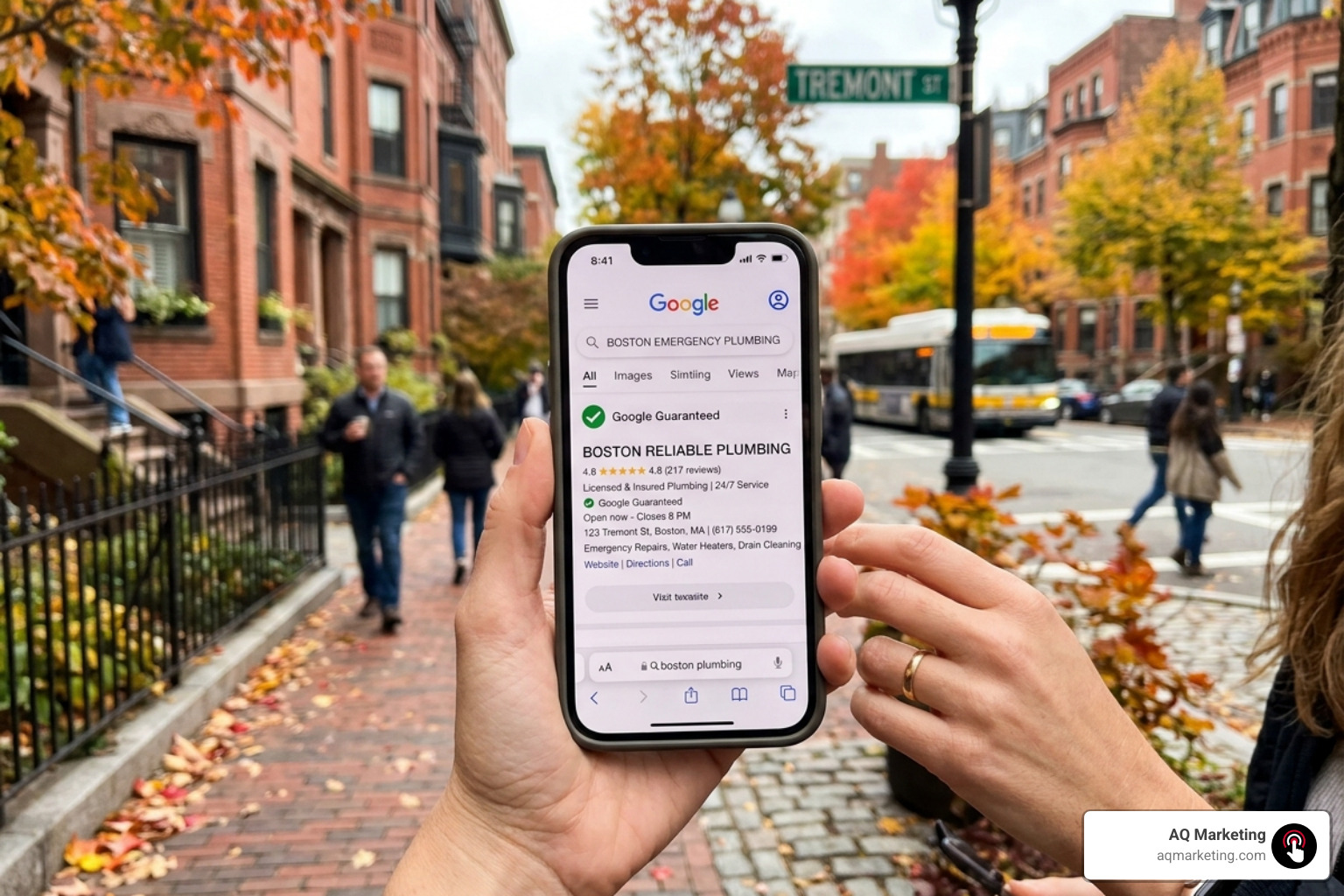
In a world of online scams and “fly-by-night” operations, trust is the ultimate currency. The Google Verified badge—often seen as the Google Guaranteed (green checkmark) or Google Screened badge—is how you prove to your neighbors in Newton or Quincy that you are the real deal.
The Verification Process
Getting this badge isn’t as simple as clicking a button. Google puts businesses through a rigorous screening process that includes:
- Background Checks: Business owners (and sometimes field employees) must pass a background check.
- License Verification: You must provide proof of your professional licenses. For example, a Plumber Google Ads campaign requires current state-level licensing to be eligible for the guarantee.
- Insurance Requirements: You must provide proof of general liability insurance.
The benefit? Google literally “guarantees” your work. If a customer is unsatisfied with the quality of your service, Google may, at its discretion, reimburse the customer up to a lifetime limit (typically $2,000 in the US). This builds massive confidence before the customer even picks up the phone.
Industry Categories for Google Guaranteed and Screened
Not every business is eligible for every badge. The categories have expanded significantly leading into 2026.
- Google Guaranteed: Primarily for home services like plumbing, HVAC, roofing, house cleaning, and appliance repair.
- Google Screened: Aimed at professional services such as legal services, real estate, financial planning, and tax services. These focus more on professional credentialing than on a money-back guarantee.
- License Verified: Used for industries like healthcare or wellness (e.g., acupuncturists or dentists) where the badge signals that the practitioner is properly licensed to practice in Massachusetts.
Using these badges effectively is a core part of Local Audience Targeting. It tells the local community that you have been vetted by the world’s largest search engine.
Strategic Setup and Optimization for Maximum Visibility
Setting up your Local Google Ads is just the beginning. To truly master the platform and outrank your competitors in places like Worcester or Lowell, you need to optimize for Google’s ranking factors.
Profile Completeness and the Google Business Profile
Your ads are only as good as the profile behind them. For standard Local Ads, this means having a robust Google Business Profile. Ensure your name, address, and phone number (NAP) are consistent across the web. Add high-quality photos of your team, your office, and your completed projects.
The “Big Three” Ranking Factors for LSAs
For Local Services Ads, Google uses a specific set of metrics to decide who gets the top spot:
- Review Count and Rating: This is the most important factor. A business with 500 five-star reviews will almost always outrank one with 50 reviews.
- Response Time: How fast do you answer the phone? If you consistently miss calls or take hours to respond to messages, Google will stop showing your ads. They want to send leads to businesses that actually answer.
- Proximity: As mentioned earlier, being closer to the searcher gives you a natural boost.
Budget Allocation
Don’t be afraid to set a competitive budget. In Local Google Ads, your budget isn’t just a limit—it’s a signal of your capacity. If your budget is too low, Google may assume you can’t handle more leads and will throttle your visibility. For a deep dive into the technical side of things, see The No-Nonsense Guide to Google Ads Account Setup.
Budgeting and Managing Your Local Lead Flow
Managing the financial side of Local Google Ads requires a shift in mindset. Instead of thinking about “how much I’m spending,” think about “how much each customer costs.”
Spending Control
Both standard ads and LSAs allow you to set a maximum weekly or monthly budget. You can pause your ads at any time—perfect for when your crew is fully booked for a week or if you’re heading down to the Cape for a vacation.
Lead Management Tools
Google provides a dedicated dashboard for LSAs where you can listen to call recordings, respond to messages, and track the status of every lead (e.g., “Booked,” “Completed,” or “Archive”). This data is gold. By reviewing call recordings, you can see if your front-desk staff is effectively turning callers into customers.
Frequently Asked Questions about Local Google Ads
How much do Local Services Ads cost in 2026?
The cost per lead in 2026 varies significantly based on your industry and location. Based on average online data, typical lead costs range from $20 to over $200 per lead depending on the vertical.
- Lower Competition (e.g., house cleaning): $20 – $50 per lead.
- High Competition (e.g., water damage restoration or legal): $150 – $450+ per lead. Please note: These figures are based on industry averages and do not represent AQ Marketing’s actual pricing.
How do I get the Google Guaranteed badge for my business?
The process involves signing up through the Local Services Ads portal, submitting your business licenses, providing proof of insurance, and undergoing a background check through Google’s third-party partners. It typically takes 2–4 weeks to complete the verification, though this can vary based on how quickly you provide documentation.
Can I run both Local Services Ads and standard Google Ads simultaneously?
Yes—and we often recommend it! This strategy is known as “search dominance.” By running both, you can potentially appear three times on a single search result page: once in the LSAs at the very top, once in the standard PPC ads, and once in the organic map pack. This maximizes your brand visibility and makes it much more likely that a customer will click on your business instead of a competitor’s.
Conclusion
Mastering Local Google Ads is a marathon, not a sprint. It requires a blend of technical setup, local trust-building, and consistent management. By leveraging the power of the Google Guaranteed badge, optimizing your proximity targeting, and choosing the right mix of pay-per-click and pay-per-lead models, you can ensure your business remains the go-to choice for customers in your community.
At AQ Marketing, we’ve spent over two decades helping businesses in Woburn and across Massachusetts navigate these digital transformations. We focus on long-term growth and delivering strategies that actually result in booked jobs and increased foot traffic.
Ready to take the next step? Master your local growth with expert PPC advertising and let’s start building a lead generation engine that works as hard as you do.


